
Frontend & Website Design Guide
No matching results on this page
Try a different word, or clear the search box.
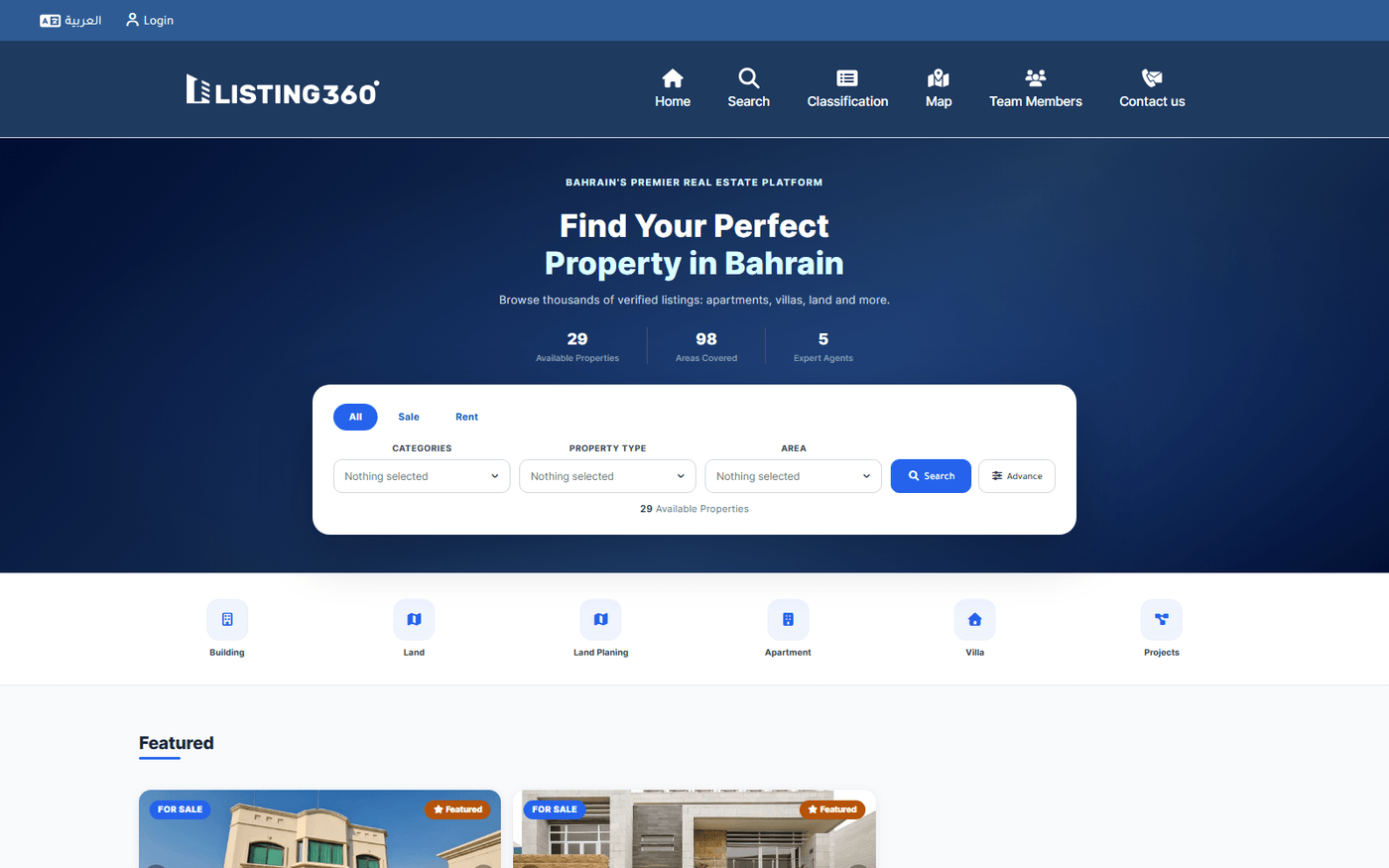
Every visible piece of the public website, mapped back to the exact backend setting that controls it.
Setup → Website Settings → Header tab
| Setting | Controls |
|---|---|
| Header theme (5 choices) | Overall layout — from minimal, up to a top-bar-plus-slogan design, or a compact icon-chip menu. |
| Menu hover effect | The visual effect when a visitor hovers a menu item. |
| Header logo + height | The site logo shown in the header. |
| Up to 8 header menu items | The actual navigation menu, with dropdown submenus — fully configurable, no code needed. |
| Language-menu icon | The icon shown next to the EN/AR language switcher. |
A live preview shows changes before you save.
The public site's header, hero, and search bar
Setup → Website Settings → Footer tab
Footer Theme 1 (thin single row)

Setup → Website Settings → Social Media tab
Two separate sets of contact fields exist — one for the top navigation, one specifically for the footer — each with its own show/hide toggle per channel, so you can show WhatsApp in the header but hide it from the footer, for example.
Setup → Website Settings → Search tab
Filters visible to visitors: For (Sale/Rent/All), Property Categories, Property Type, Area, Price range, Size range, Bedrooms, Bathrooms, Classification, Facilities, and more.
| Setting | Controls |
|---|---|
| Show Categories field | Whether the Categories filter appears at all. |
| Categories precise search | Whether category filtering is exact-match or broader. |
| Default sort order | Latest/Oldest/Featured/Price/Size/Score — the default before a visitor picks their own sort. |
| Results Per Page (6–20) | How many listings show per page. |
| Grid columns (1–4) | How many result cards per row. |
Most individual filter fields (bedrooms, bathrooms, price range, etc.) are built into the page directly, not driven by settings — only the Categories field's visibility above is a real toggle.
The card style used in search results and "similar properties" is currently locked to one fixed design. The two things that are live toggles on the Property Card tab: show/hide the staff contact button, and show/hide staff info on a card.
Search results with the property card design
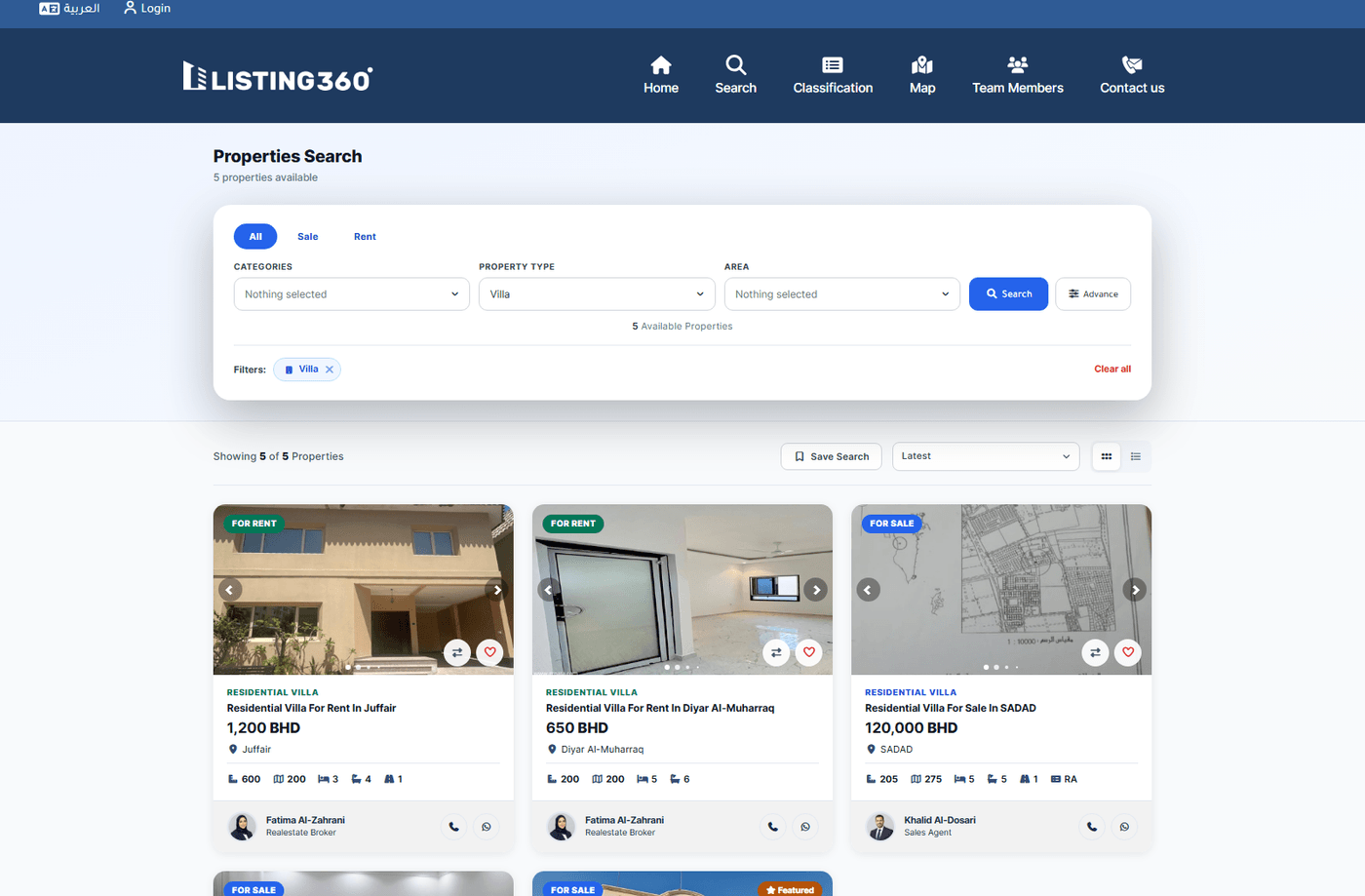
Each card shows the assigned agent with one-tap Call and WhatsApp buttons — this is the staff contact toggle mentioned above.
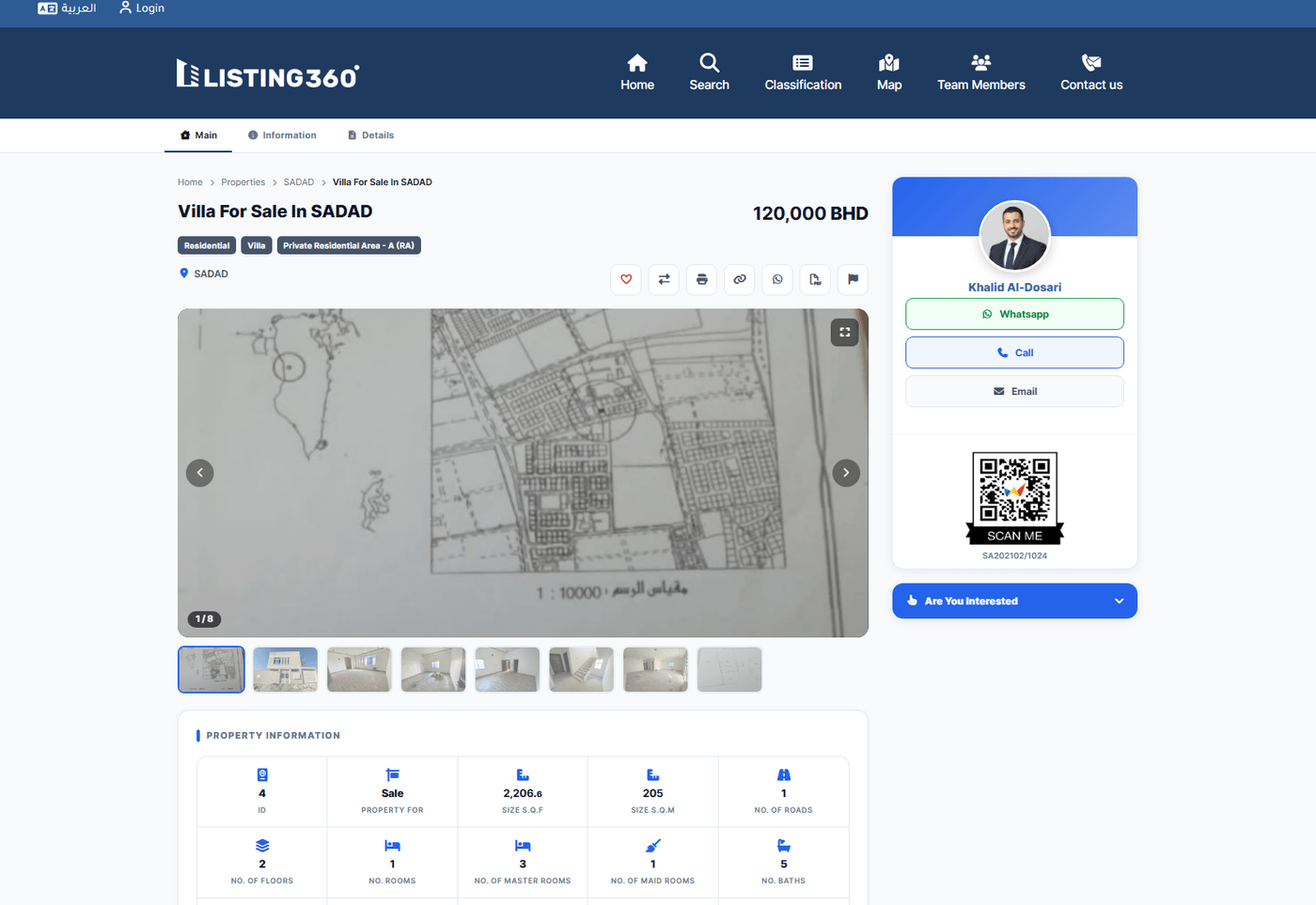
Sections shown: image gallery, similar properties, follower count, property labels, facilities, nearby amenities, price/size/description, and an agent contact card. Land and development-project listings each get a specialized template automatically, based on the property's type.
If a visitor arrives via a shared Offer link, the agent card automatically shows the offering agent instead of the property's default assigned agent.
A single property page
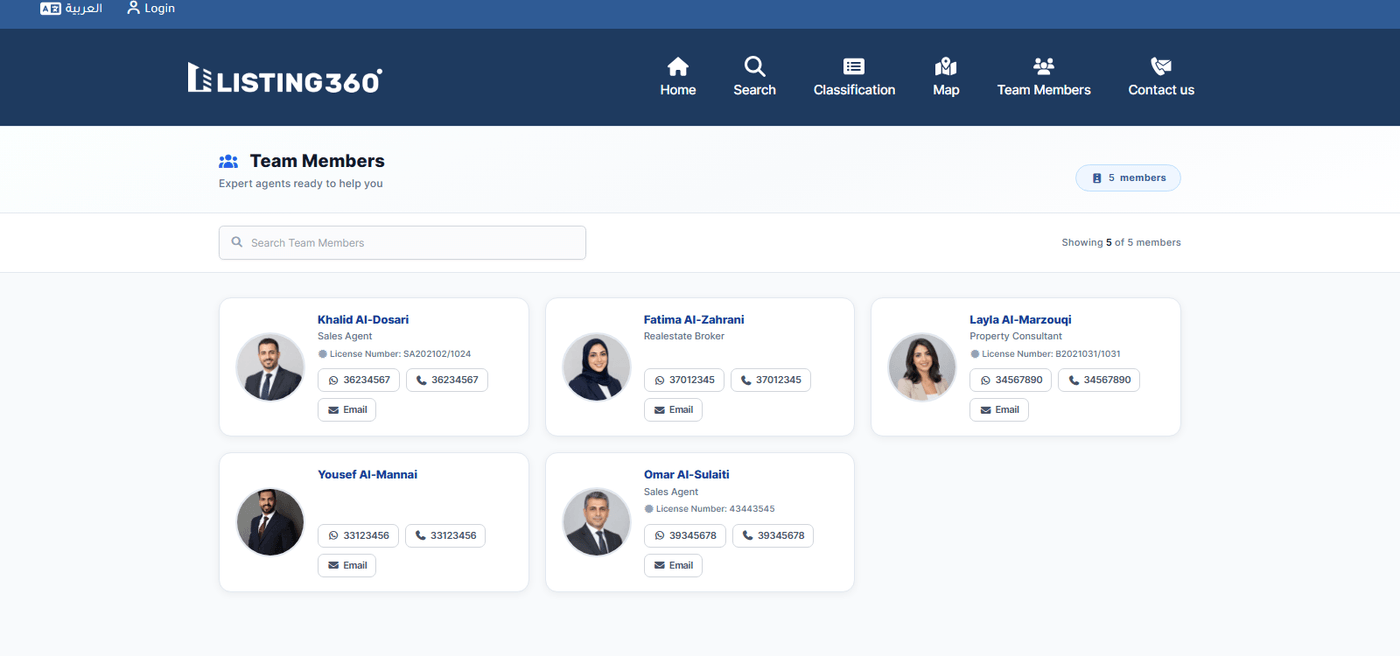
A staff member appears here only if their Show on Website field is enabled. Their public profile shows: photo, designation, License No., a QR code linking to their regulatory registration, contact buttons, and current listing counts. There's no separate directory settings screen — what shows is driven entirely by each staff member's own profile fields.
The public Agent Directory
Setup → Theme Style
Separate from Website Settings — this controls the admin panel and client-portal chrome, not the public marketing site. Use Website Settings for the public site's look; use Theme Style for how the CRM/client-portal looks to staff and logged-in clients.
Setup → SEO
SEO Health (a content health report), Sitemap Pages, and SEO Robots (robots.txt manager). This controls which pages get crawled/indexed and how they're described to search engines — relevant when a page isn't ranking or shows the wrong metadata.
| Logo, header nav, header layout | Setup → Website Settings → Header |
| Footer content/layout | Setup → Website Settings → Footer |
| WhatsApp/social links | Setup → Website Settings → Social Media |
| Search filters, results-per-page, sort order | Setup → Website Settings → Search |
| Admin panel colors | Setup → Theme Style |
| An agent's public visibility/profile | Staff → edit that staff member |
| Sitemap / robots.txt / SEO metadata | Setup → SEO |